AI Short Drama Cleanup

Short Drama Video Cleanup for Localization

Upload your video

Drag & drop a file here, or click to browse

Videos are processed securely and never shared

MP4, MOV, AVI, MKV, WebM · Up to 2GB

See the difference

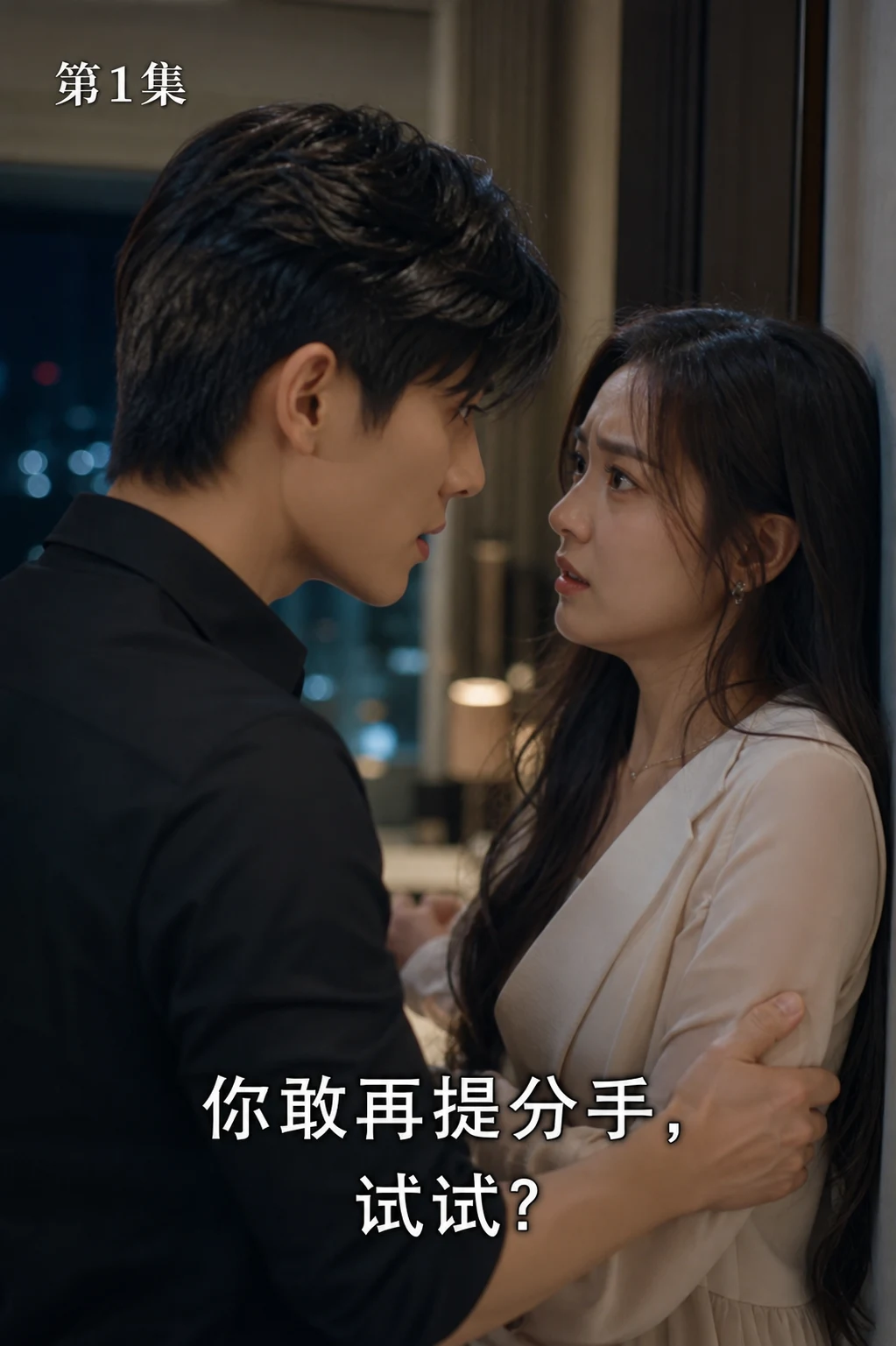
BeforeShort drama frame with subtitles, approval number, and disclaimer text before AI cleanup - UnmarkAI
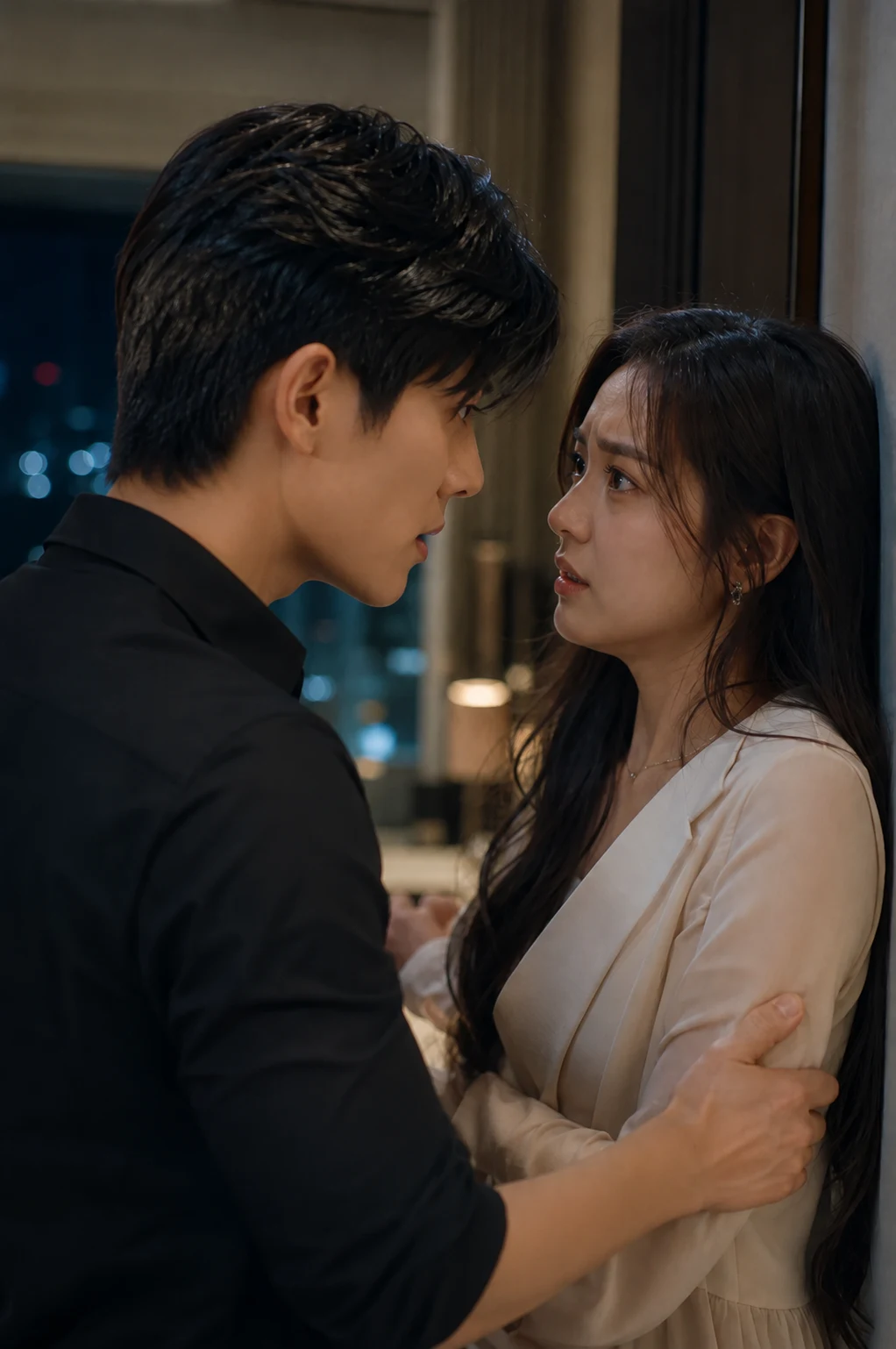
AfterShort drama frame after removing text overlays for localization - UnmarkAI

Use UnmarkAI for short drama video cleanup before translation, dubbing, and cross-platform release. AI removes hardcoded subtitles, approval numbers, disclaimer text, creator notes, and other burned-in words while preserving the vertical frame.

Built for short drama creators, agencies, and localization teams, this workflow creates a clean master from authorized clips so you can add new subtitles, captions, titles, or platform-safe text for each market.

Why clean short drama text before localization?

Localization teams need a text-free master before adding new subtitles, dubbing notes, compliance copy, or market-specific hooks. If source-language subtitles, approval numbers, disclaimer text, or episode labels remain burned into the frame, the next version can look crowded or contradictory. Cleaning those pixels first lets teams rebuild subtitles and notices cleanly while preserving the original vertical drama composition.

What can short drama teams remove from authorized clips?

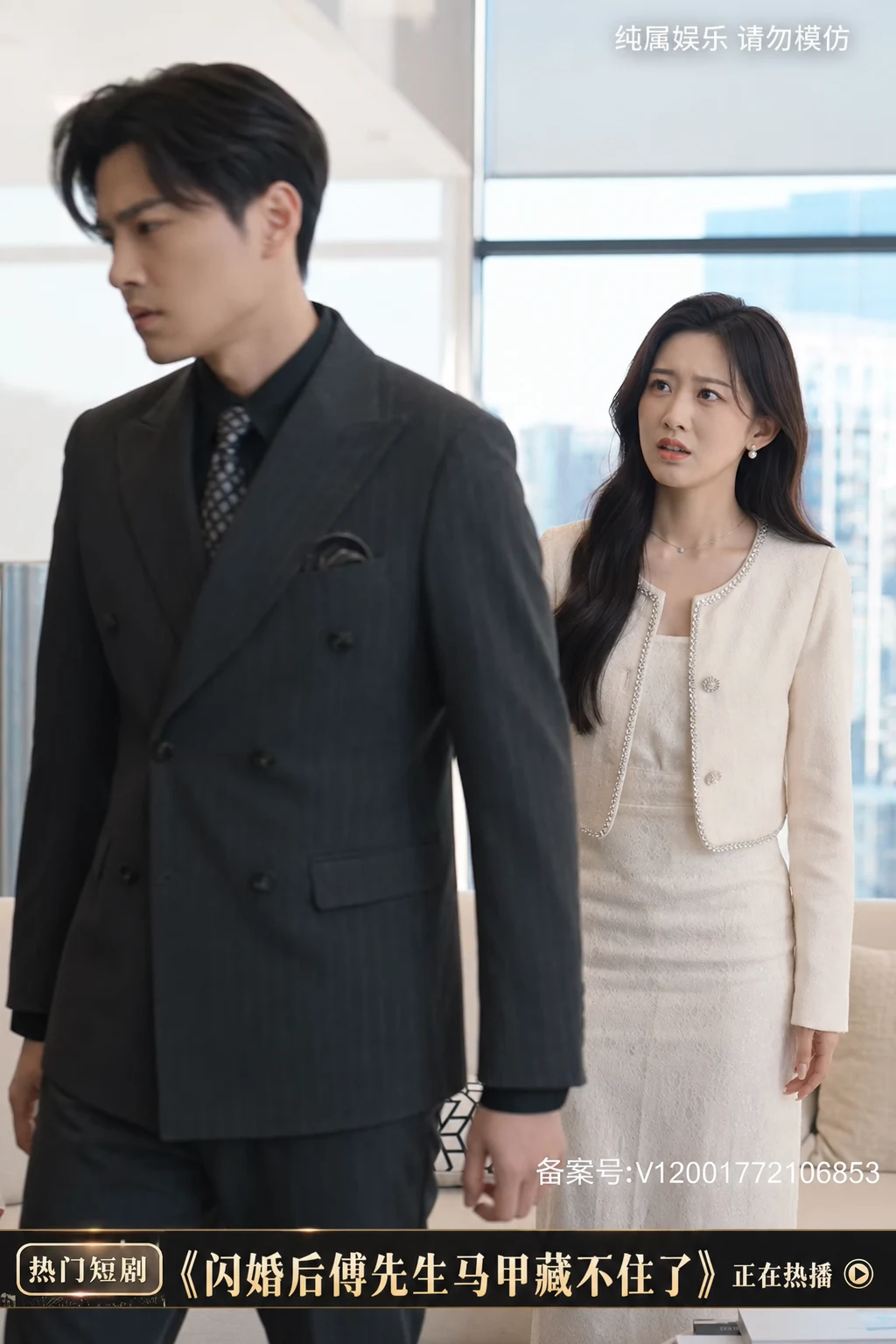
Short drama teams can clean hardcoded dialogue subtitles, old localized captions, approval numbers, review labels, legal notices, creator notes, episode tags, and fixed call-to-action text from footage they own, license, produce for clients, or have explicit permission to adapt. The cleaned master can then receive new subtitles, dubbing notes, compliance copy, or promotional hooks for each release market.

What short drama cleanup means

Short drama cleanup is the process of removing text that has been burned directly into a drama clip before the clip is localized, re-captioned, dubbed, or prepared for a new release channel. Unlike soft subtitle files, burned-in text cannot be switched off in a player. It must be erased from the video pixels and the hidden background has to be reconstructed.

Source-Language Subtitles

Remove hardcoded dialogue subtitles, bilingual captions, and translated text that are permanently part of the drama pixels.

Approval Numbers

Clean filing IDs, approval codes, review marks, and production notes when the release workflow allows replacement.

Disclaimer Text

Erase fixed notices such as "for entertainment only", "do not imitate", or safety copy before adding approved local wording.

Episode & Promo Overlays

Remove episode labels, lower-third promo lines, creator handles, CTAs, and other fixed text strips from approved source material.

How to clean short drama videos for localization

Upload an authorized short drama clip, select the subtitle or notice area, and let AI erase the text pixels frame by frame. The result is a clean vertical master ready for translated subtitles or market-specific edits.

01

Upload your short drama clip

Upload the episode, trailer, or ad cut you own, license, or have approval to edit. MP4, MOV, WebM, AVI, and MKV are supported, including vertical 9:16 drama clips.

02

Select subtitles, approval numbers, or notices

Draw a tight selection around hardcoded subtitles, approval numbers, disclaimer text, creator notes, or fixed text strips such as "for entertainment only" and "do not imitate".

03

AI removes text and restores the scene

UnmarkAI removes the selected words and reconstructs the background with AI inpainting. Preview the cleaned clip, then export a clean master for translation, dubbing, or re-captioning.

Short drama subtitle cleanup for localization

Localization teams often need to remove source-language hardcoded subtitles before adding English, Spanish, Portuguese, Arabic, or other target-language captions. Use this workflow to clean vertical drama clips for localization while keeping the frame intact without cropping away faces, costumes, or product shots.

  • Hardcoded subtitlesErase burned-in dialogue subtitles from vertical short drama clips before re-captioning.
  • Clean master workflowCreate one text-free source file, then add localized subtitles for every market.
  • No crop or blurPreserve the original 9:16 composition instead of covering the subtitle band with a visible patch.
BeforeClean vertical drama clips for localization - before
AfterClean vertical drama clips for localization - after
Ready for a cleaner clip?AI-powered, no blur, no quality drop.
Start free
BeforeShort drama notices and text overlay cleanup - before
AfterShort drama notices and text overlay cleanup - after
Ready for a cleaner clip?AI-powered, no blur, no quality drop.
Start free

Remove approval numbers, disclaimer text, and promo overlays

Short drama exports may include approval numbers, episode notices, review copy, lower-third promos, or fixed warnings such as "for entertainment only" and "do not imitate". Use AI to remove these burned-in text overlays from content you are authorized to adapt.

  • Approval numbersClean filing IDs, approval codes, or review marks when your distribution workflow permits replacement.
  • Disclaimer textRemove old notices like "for entertainment only" or "do not imitate" before adding market-specific compliance copy.
  • Promo and creator textErase fixed episode labels, creator notes, and promotional text strips from approved source material.

Formats and short drama workflows supported

UnmarkAI works in the browser and supports common delivery files used by short drama creators, agencies, and localization vendors. Upload the highest-quality source available so AI has enough scene detail to rebuild the area behind the removed text.

Common Delivery Files

MP4, MOV, WebM, AVI, and MKV uploads work for episode cuts, trailers, paid ads, and localization masters.

Vertical Drama Ratios

Designed for 9:16 short drama clips, square social cuts, and horizontal trailer exports without forced cropping.

Burned-In Text Types

Clean subtitles, captions, approval numbers, disclaimer text, episode labels, and fixed promo overlays.

Series Batch Workflow

Queue multiple episodes or ad cuts that use the same subtitle band, notice area, or promo text placement.

Why short drama teams remove text before localization

A clean master keeps the production flexible. Once source-language text is removed, teams can add localized subtitles, platform-specific safety copy, or promotional hooks for TikTok, Instagram Reels, YouTube Shorts, Facebook, or paid ad placements.

Localization Masters

Remove Chinese, Korean, Japanese, Spanish, or Portuguese burned-in subtitles before adding target-language captions.

Cross-Border Release

Prepare clean masters for the US, UK, Canada, Australia, India, Southeast Asia, Latin America, and other markets.

Ad Creative Testing

Clear old CTAs, episode labels, and promo overlays before testing new hooks or platform-safe messages.

Vertical Channel Reuse

Adapt authorized clips for TikTok, Instagram Reels, YouTube Shorts, Facebook, and other vertical-video channels.

Use short drama cleanup only on authorized content

Only remove text from videos you own, license, produce for a client, or are explicitly authorized to adapt. Do not use UnmarkAI to strip attribution, compliance marks, platform labels, or required legal notices from third-party content in a misleading or unauthorized way.

Original Productions

Use cleanup on short dramas where your team controls editing, localization, and distribution rights.

Licensed Drama Clips

Process licensed material only when the contract allows derivative edits, subtitle replacement, and localization.

Client-Approved Edits

Clean client footage after written approval defines the text areas, purpose, and final delivery context.

Compliance Replacement

Replace old notices only with approved market-specific legal or safety copy, not with an empty disclosure gap.

Why AI cleanup beats cropping, blur, and manual clone work

Cropping removes visual context from a vertical drama frame, and blur makes the cleaned area obvious. AI inpainting removes the selected words and fills the area using nearby texture, color, lighting, and motion cues, so the clip remains usable for published localization work.

MethodFrame integrityLocalization readinessBatch effort
AI inpaintingFull frame preservedClean master ready for new subtitlesWorks well for repeated episode cleanup
CroppingSubtitle area removed with scene detailOften damages vertical compositionManual reframing per clip
Blur or mosaicFrame remains but cleaned area is visibleLooks unfinished for paid distributionFast but low quality

Preserves 9:16 Framing

AI inpainting rebuilds the background behind removed text while keeping the original vertical composition.

No Destructive Cropping

Avoid cutting away faces, wardrobe details, props, and bottom-frame story context just to hide subtitles.

Cleaner Than Blur

Blur and mosaic bands make the original subtitle location obvious; reconstruction blends with nearby scene detail.

Scales Across Episodes

Batch-friendly cleanup is faster than manual clone-stamping across trailers, ads, and multi-episode short drama sets.

Trust

Built for authorized video cleanup

UnmarkAI is designed for creators and teams working with content they own, license, or have permission to edit. The product copy, terms, and upload flow all reinforce that boundary.

Rights-aware workflow

Designed to help you clean videos you own, license, or are explicitly authorized to edit.

Preview before download

Check the AI reconstruction frame-by-frame before exporting the final clean video.

Secure processing

Your uploads and exports are processed securely and never shared with third parties.

Clear acceptable use policy

Strict guidelines against removing attributions from unauthorized third-party content.

Frequently asked questions

Practical answers for safe, high-quality cleanup workflows.

Can I remove hardcoded subtitles from short drama videos?

Yes. If the subtitles are burned into the video pixels, UnmarkAI can erase the selected subtitle area and reconstruct the background so you can add new localized subtitles.

Can this remove approval numbers or disclaimer text?

Yes, when you are authorized to edit the content. Select the approval number, filing ID, disclaimer text, or fixed notice area and AI will remove the visible text from the frames.

Does it work for vertical 9:16 drama clips?

Yes. UnmarkAI is suitable for vertical short drama clips, social ads, trailers, and episode cuts. AI cleanup preserves the frame instead of cropping away the subtitle band.

Can I batch clean multiple short drama episodes?

Yes. Batch processing is useful when a series uses subtitles or notices in the same position across many clips. Upload the files together and reuse the same cleanup region when appropriate.

Is short drama text removal legal?

It is appropriate only for videos you own, license, or have explicit permission to adapt. Do not remove attribution, required legal notices, or third-party marks from content you are not authorized to modify.

Ready to clean your videos?

Join thousands of creators who use UnmarkAI to deliver distraction-free content.

Start for Free Now

Get 10 credits on sign up · No credit card required